Record Working Hours
Record start time, end time, and breaks per employee. Automatic calculation of net working time.
- Record start, end & break times
- Automatic time calculation
- Customer & project assignment
- Activity description per entry
Record working hours, manage absences, and convert hours directly into invoices
Try for free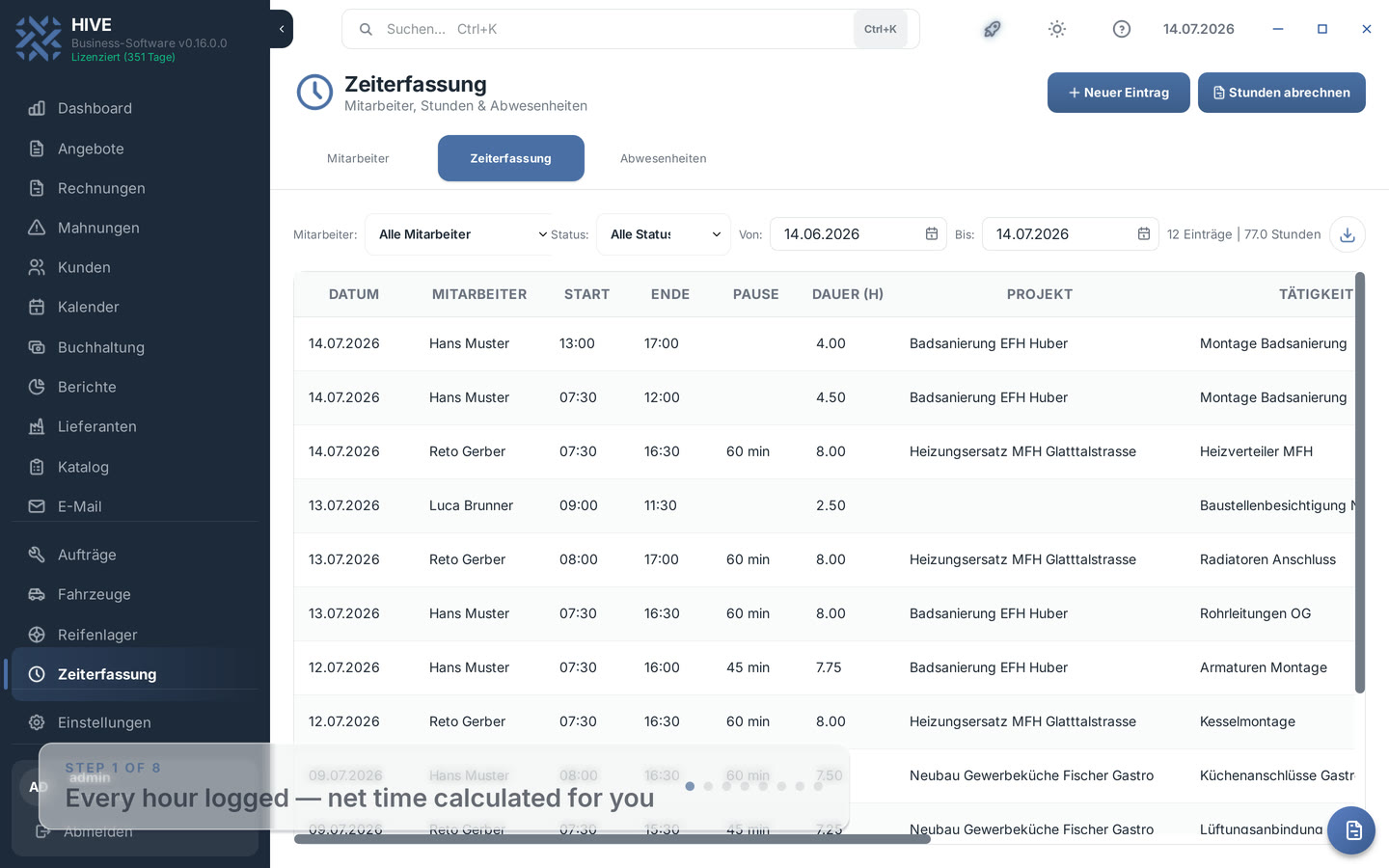
Record start time, end time, and breaks per employee. Automatic calculation of net working time.
Manage your employees with target hours, hourly rates, and working time models.
Filter time entries by employee, customer, or project and create invoices directly from them.
The time tracking report shows overtime and vacation balance per employee — including a monthly report PDF with signature lines for working time documentation.
HIVE is the Swiss business software for SMEs and service providers. Time tracking is not an isolated tool — it works directly with invoices, reports and customer management, as a desktop app and as a web app in the browser, on the same data.
Time tracking in the manual · See the solution for service providers
For each employee and day you record work start, work end and break — HIVE calculates the net working time automatically. Every entry can optionally be assigned to a customer and a project and carries an activity description. A status filter shows only recorded, approved or billed entries on demand; recurring work is duplicated to today's date with a right-click. The filtered list exports to Excel in one click.
Every time entry follows a clear status workflow. Approving works directly via right-click in the list — including several selected entries at once. Only approved hours reach billing, and once billed, entries stay marked as such. You keep control over which hours are charged to the customer.
In the Reports tab, the time tracking report shows actual hours, target hours and the balance per employee and month. HIVE derives the target from the stored target hours per week (spread across Monday to Friday); approved absences such as vacation or sick leave reduce the target automatically. Overtime and undertime become visible without any Excel handiwork.
HIVE manages vacation, sick leave, accident, military service, training and other absences — multi-day or as half days. The vacation entitlement can be set per employee or follows the company default from the settings. The report shows entitlement, days taken and remaining balance; HIVE warns about overlapping absences when saving, and the calendar marks absence days in color.
Swiss labour law requires documented working time records. HIVE creates a monthly report PDF per employee: all daily rows with start, end, break and duration, the totals, the target/actual summary, the month's absences and signature lines for employee and supervisor. The evaluation itself also exports as PDF or Excel.
Select approved, billable hours in the billing dialog and HIVE creates a prefilled invoice — with date, employee and activity as line items and each employee's individual hourly rate. The finished invoice carries the Swiss QR code, and the billed entries are automatically marked as billed.
HIVE documents work start, work end, breaks and net working time per day and generates a monthly report PDF with totals, a target/actual summary and signature lines for employee and supervisor — the basis for working time records under Swiss labour law.
You store target hours per week for each employee. HIVE spreads the target across the working days Monday to Friday and compares it with the recorded actual hours in the report. Approved absences such as vacation or sick leave reduce the target automatically, so the balance shows real overtime or undertime.
The yearly vacation entitlement can be set individually per employee or follows the company default from the settings. Approved vacation absences count as days taken (half days count half), and the report shows entitlement, taken and remaining at a glance.
Yes. In the 'Bill hours' dialog you select approved, billable entries — HIVE creates a prefilled invoice with each employee's hourly rate and a Swiss QR code. The entries are then automatically marked as billed.
Yes. The HIVE web app offers the same time tracking as the desktop app — employees, time entries, absences, approval and billing — on the same data. Ideal for the road, home office or employees without a desktop installation.
Time tracking is a HIVE module and included in the price — simply activate it under Settings → Modules. The trial period lasts 45 days, no credit card required.
Download HIVE for free and activate the time tracking module.
Try free for 45 days