Centralized Management
Define items, materials and services once – with purchase price, selling price and margin at a glance.
- Categories & full-text search
- Margin updates live
- Duplicate for variants
- Units & VAT predefined
Items, materials and services managed centrally – with live margin, automatic stock tracking and sales statistics
Try for free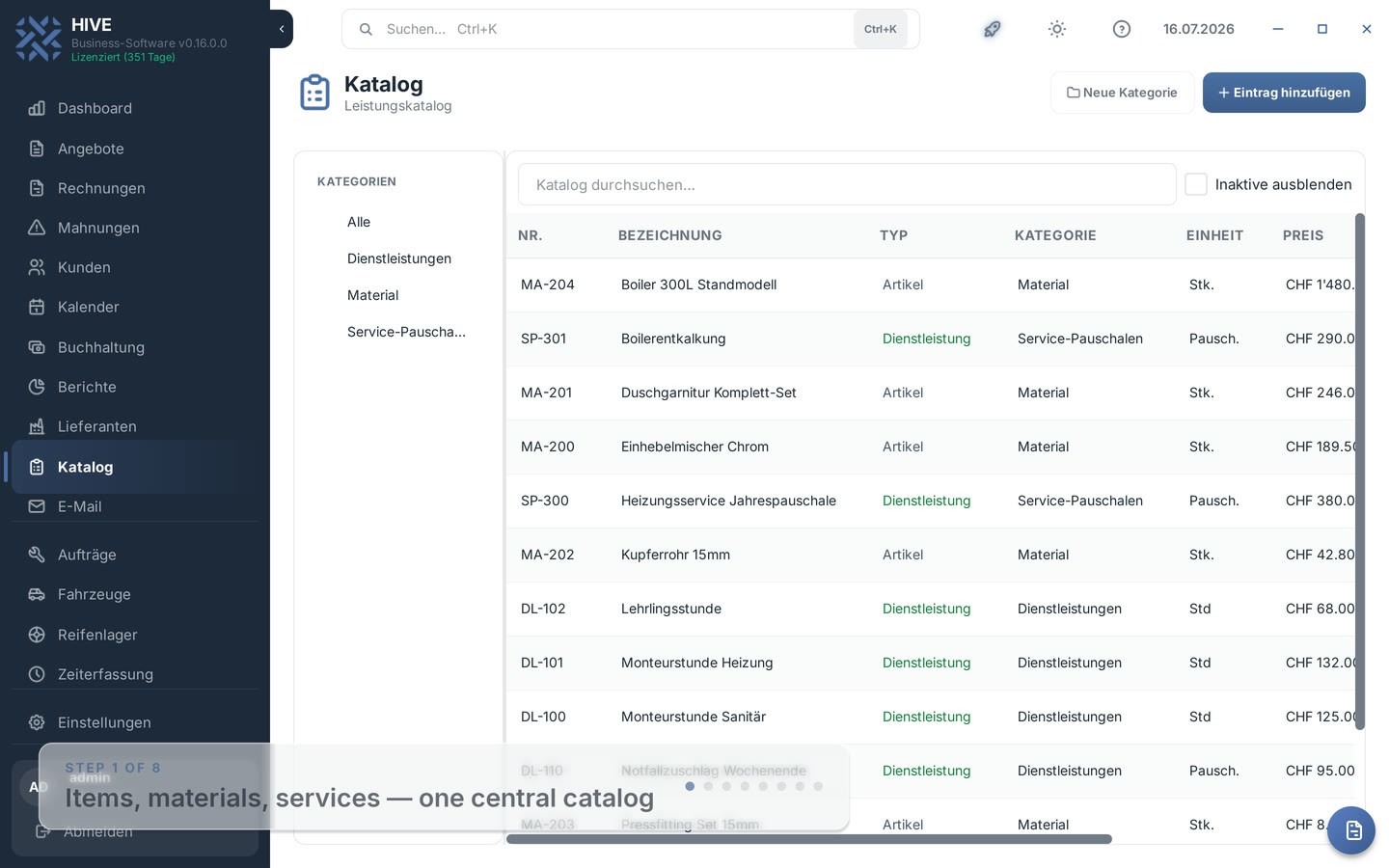
Define items, materials and services once – with purchase price, selling price and margin at a glance.
Catalog items land in invoices or quotes with one click – stock deducts automatically when you save.
Price rounds and insights without Excel: adjust selected prices by a percentage and track your top-selling items in the report.
HIVE is the Swiss business software for SMEs. The catalog is not an isolated tool – it works directly with invoices, quotes, stock and reports, in the desktop app and in the web app with the same features.
Catalog in the manual · See the solution for service providers
Every entry carries an item number, name, type, category, unit and VAT rate. Categories with subcategories, full-text search and a filter for inactive entries keep even large catalogs organized. Units such as piece, hour or flat rate are predefined and stay consistent.
For each item you enter purchase and selling price – the dialog calculates the margin in francs and percent live. For variants, duplicate an existing entry and adjust only name and price instead of retyping everything.
In every invoice and quote, one click opens the catalog picker: items carry over price, unit and VAT rate automatically and stay linked to the catalog entry. That eliminates typos and keeps descriptions consistent across all documents.
When you save an invoice, HIVE automatically deducts the sold quantity from stock – cancellations and credit notes restock. If an item falls below its minimum stock, the stock figure turns red in the catalog. Services deliberately carry no stock; the dialog hides the stock fields automatically.
Select multiple entries and adjust all selling prices by a percentage in one step – up or down. On request HIVE rounds to 5 centimes, as is customary in Switzerland. A sample calculation shows the effect before you apply.
The item sales report evaluates all linked invoice positions per year: quantity sold, number of invoices, revenue and revenue share per catalog entry. You see at a glance what sells and what sits – exportable as PDF and Excel.
In the invoice and quote dialog, the catalog button opens a picker with search and type filter. You select one or more entries and HIVE inserts name, price, unit and VAT rate as positions – you adjust the quantity directly in the table.
Yes. When an invoice is saved, the sold quantity is deducted from the linked item's stock; cancelling, deleting or issuing a full credit note restocks it. If stock falls below the minimum level, the catalog shows the figure in red.
Yes. Select the entries you want and choose "Adjust prices" from the context menu. Enter a percentage (e.g. +3.5 or -5); HIVE optionally rounds to 5 centimes – a preview shows the result on a sample price before you apply.
Yes. The "Item sales" report in the Reports tab shows a yearly ranking by revenue with quantity, number of invoices and revenue share per entry. Cancelled invoices are excluded. You can export the report as PDF or Excel.
Yes. In the settings under catalog management you import entries from a CSV file and can export the whole catalog as well – for price maintenance in Excel or when switching from another software.
In remote mode, the desktop app and HIVE Web access the same catalog data. Available catalog features are listed in the documentation.
Download HIVE for free and use the integrated catalog with stock tracking.
Try free for 45 days