Vehicle Management
All vehicles with service histories, inspection intervals, and costs clearly managed.
- Unlimited vehicles
- Record service histories
- Maintenance plans & deadlines
- Cost overview per vehicle
HIVE combines core ERP functions with vehicle management, workshop workflows and tire storage in an optional industry module.
Try for free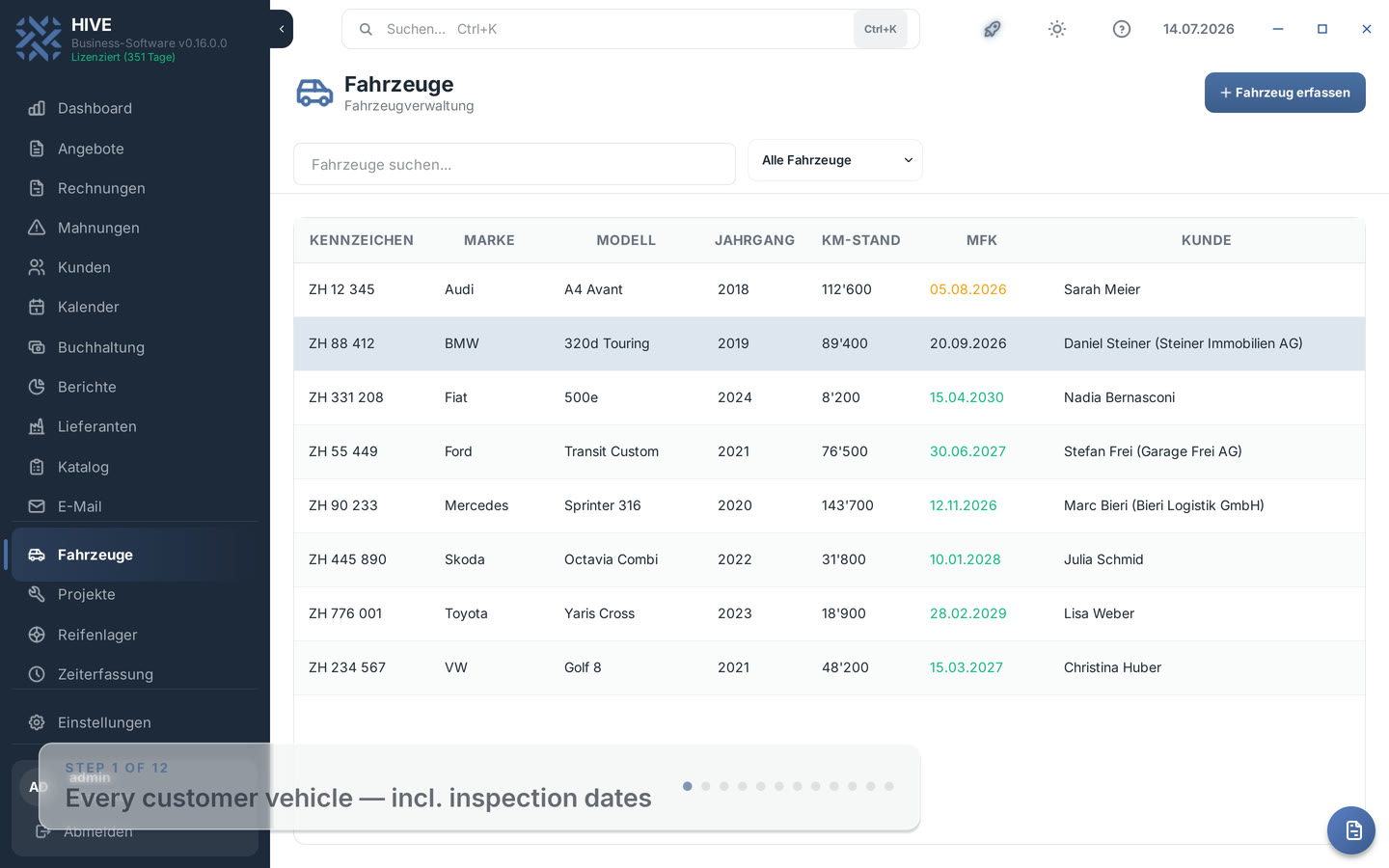
All vehicles with service histories, inspection intervals, and costs clearly managed.
Create service invoices directly with all vehicle and service data automatically pre-filled.
Track tire inventory and storage locations per vehicle.
Record the tread depth per tire set — HIVE warns you in color before it gets critical.
Every tire set gets an A6 label with a QR code — scan instead of searching.
Remind every customer with stored tires about the seasonal change by email.
HIVE is the Swiss business software for garages, workshops and tire dealers. Vehicle management, tire storage, service history and invoicing with Swiss QR code work together in one system — as a desktop app and as a web app in the browser.
Automotive modules in the manual · Explore catalog and inventory management
Every customer vehicle has its own record in HIVE: license plate, VIN, mileage, insurance and the complete service history. HIVE calculates the next inspection automatically from the last one and the interval — overdue dates appear red, upcoming ones orange. You see at a glance which customers to approach about their upcoming inspection.
Oil changes, brakes, tire changes: every job is documented on the vehicle with date, mileage and costs. Un-invoiced entries become line items of a new invoice with one click — the invoice dialog opens pre-filled, and after saving the entries are linked to the invoice number. Double billing is impossible.
The tire storage manages every set with dimension, type, DOT, storage location and storage/retrieval dates. When creating an entry you pick the vehicle from the customer's vehicles — the set is firmly linked to the vehicle record and visible there at any time. Seasonal storage and retrieval take two clicks including the date.
Record the minimum tread depth of the set when storing it. HIVE shows the value in the storage list and warns in color: red below 1.6 mm (legal minimum in Switzerland), orange below 4.0 mm (recommendation for winter tires). Spot sales opportunities for new tires before the customer is at your door.
For every tire set, HIVE prints an A6 label with the storage location in large print, all set data and a QR code. The code contains the unique set number: scanned into the search field with a standard USB scanner, the storage list jumps straight to the right entry — no typing, no searching, no mix-ups.
At the start of the season, HIVE shows all customers with currently stored tires including their email address. Subject and message are pre-filled and fully editable; placeholders such as the customer name are replaced automatically when sending. Emails only go out after your click — and on request HIVE creates a calendar note for following up.
You record every tire set with customer, vehicle, dimension, type, DOT, tread depth and storage location. At retrieval you set the retrieval date with two clicks. The storage list filters by stored/retrieved and finds sets via search or QR scan.
HIVE shows all customers with stored tires and sends the reminder by email — deliberately only after your confirmation, not fully automatic. Template and placeholders (e.g. customer name) are prepared and editable.
In a vehicle's service history you select the open entries and click 'Create invoice'. The invoice dialog opens pre-filled with one line item per service entry; after saving, the entries are linked to the invoice.
The QR code contains the unique number of the tire set. Scanned into the search field with a USB scanner, HIVE jumps straight to the matching entry — faster retrieval and no mix-ups in the warehouse.
Yes. From the last inspection and the interval, HIVE calculates the next due date automatically. Overdue vehicles appear red, soon-due ones orange — filterable with one click.
HIVE Web complements the Windows desktop app. Available automotive features and document outputs are listed in the documentation.