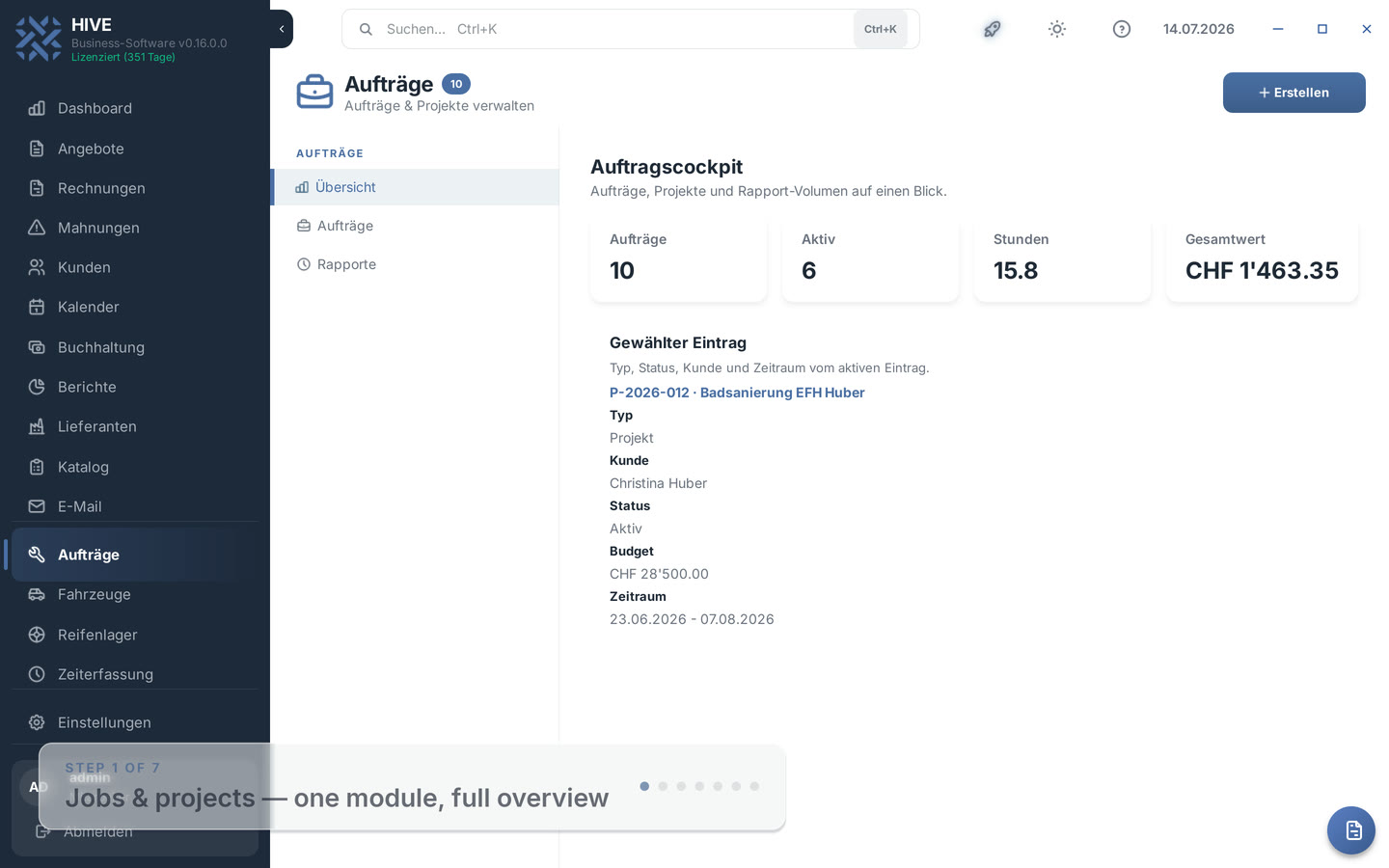
Project, job or work order — you pick the type, HIVE adapts fields, statuses and numbering automatically.
Own number ranges P-/A-/WA-
Type-specific statuses (Open, Waiting, Done)
Lean dialog for small jobs
Type filter in the overview
Projects
Central project management
Large undertakings with budget, period and documents — all costs and hours in one place.
Budget & period at a glance
Project address & description
Attach documents & photos
Hours from time tracking
Reports
Digital work reports
Record working time and material right on site — digital and reliable.
Time recording on site
Material from the catalog
Automatic time calculation
Hourly rates per employee
Billing
Bill directly
Open reports become an invoice with one click — prefilled with working time and material.
One click: bill reports
Invoice comes prefilled
Labor and material as line items
Swiss QR invoice included
Workshop
Work orders with vehicle
For automotive businesses: link a job to a vehicle — the service history writes itself when you bill.
Vehicle on the job (license plate)
WA number range for the workshop
Service history updated automatically
Invoice linked to the vehicle
The Jobs module at a glance
HIVE is the Swiss business software for tradespeople, service businesses and workshops. Jobs, projects, work reports and invoicing with Swiss QR code work together in one system — on the desktop and in the web app.
Not every piece of work is a big project. In HIVE you simply pick the type when creating an entry: project for undertakings with budget and period, job for quick small work, work order for vehicle work. Each type has its own number range (P-, A-, WA-), so invoices and the overview instantly show what a number stands for. Existing projects remain untouched.
Small jobs without overhead
Fixing a socket, doing a service, assembling furniture: a job in HIVE only needs a title, the customer and an optional due date. Budget fields and project planning stay hidden. The statuses speak everyday language — Open, Waiting, Done, Cancelled — and the type filter shows only the open small jobs if you want.
Digital work reports with material
For every job or project you record work reports: date, employee, start and end time, breaks and activity. HIVE calculates the working time and the amount from the stored hourly rate automatically. Used material comes straight from the catalog — with quantity, unit and price. At the end of the day, everything that needs billing is documented.
From report to Swiss QR invoice
One click on billing turns the open reports into a finished invoice: one line item per work session, the material right next to it, customer and hourly rates prefilled. Billed reports are marked and no longer appear in the next billing run — double billing is impossible. The invoice comes with a Swiss QR code as always.
Work orders for automotive businesses
With the Vehicles module active, you link a work order directly to the customer's vehicle — including the license plate in the jobs overview. When billing, HIVE automatically adds the work to the vehicle's service history, linked to the invoice. The vehicle file stays complete without anyone recording things twice.
Desktop, web app and on the go
In remote mode, the desktop app and HIVE Web can use the same job data. Available functions are listed in the documentation.
Frequently asked questions about job management
What is the difference between a project, a job and a work order?
All three live in the same module. A project is for larger undertakings and has a budget, period and project address. A job is the lean variant for small work — just a title, customer and due date. A work order is a job linked to a vehicle for automotive businesses. Reports, material and billing work the same for all three types.
Do jobs get their own numbers?
Yes. Each type has its own number range per year: projects count with P- (e.g. P-2026-0001), jobs with A- and work orders with WA-. You can tell at a glance what is behind a number — including on the invoice.
Can I create an invoice directly from reports?
Yes. Billing collects all open reports of the entry and opens a prefilled invoice: working time as line items with hourly rates, material included. After saving, the reports are marked as billed and will not be billed again.
What happens when I bill a work order?
In addition to the invoice, HIVE automatically creates an entry in the linked vehicle's service history — with the order number, title, costs and a link to the invoice. The vehicle file stays complete with no extra effort.
Can I record material on reports?
Yes. You take material straight from the HIVE catalog or enter it freely — with quantity, unit and unit price. When billing, it goes onto the invoice as a line item together with the working time.
Does job management also work in the web app?
Yes, fully. The HIVE web app at app.inatsolutions.com offers the same types, reports, material and billing — in the browser, on a tablet or smartphone. Desktop and web work on the same data.
Ready to start?
Download HIVE for free and manage jobs, projects and work reports digitally.